
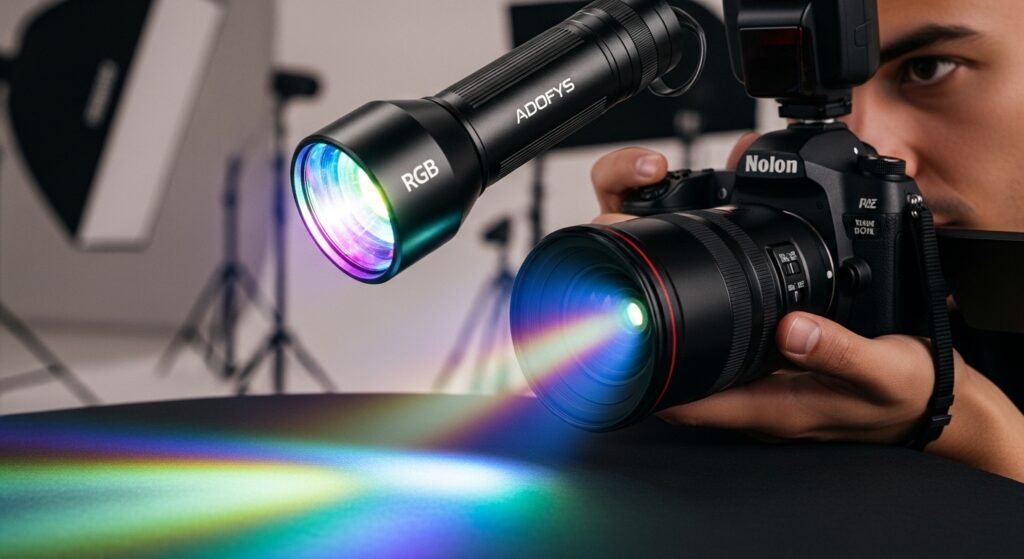
How to Use Adofys RGB Photography Flashlight Like a Pro
Lighting can make or break your photos and videos. If you’ve recently picked up the Adofys RGB Photography Flashlight, you’re already ahead of the game. But do you know how to truly use it like a pro? That’s where the magic happens. In this guide, you’ll learn exactly how to use the Adofys RGB Photography Flashlight to create stunning visuals, whether you’re shooting portraits, videos, or creative content. No fluff—just practical, real-world techniques that actually work.
What is Adofys RGB Photography Flashlight
The Adofys RGB Photography Flashlight is a portable LED lighting tool designed for creators who want flexibility and creativity in their lighting setup.
It offers:
- RGB color modes
- High CRI for accurate colors
- GOBO filters for patterns
- Portable and rechargeable design
This means you can shoot anywhere—indoors or outdoors—without needing bulky studio lights.
Why Adofys’s RGB Photography Flashlight is a Game-Changer
Before we jump into how to use it, let’s understand why this tool stands out.
Key Advantages
- Portable Power: Shoot on the go with ease
- Creative Freedom: Unlimited color combinations
- Professional Output: High CRI ensures true colors
- Multi-Purpose: Ideal for photography and videography
This isn’t just a flashlight—it’s a complete lighting solution.
Getting Started with Adofys RGB Photography Flashlight
Let’s set up your device properly.
Step-by-Step Setup
- Fully charge the flashlight using USB
- Power it on and explore lighting modes
- Attach any required filters or accessories
- Position the light based on your subject
- Adjust brightness and color temperature
Pro Tip
Start with neutral lighting before experimenting with colors. This helps you understand the base output.
Understanding Lighting Modes
To use the Adofys RGB Photography Flashlight like a pro, you need to master its modes.
1. White Light Mode
Best for:
- Portraits
- Product photography
- Professional videos
Use this when you need natural-looking light.
2. RGB Color Mode
Perfect for:
- Creative shoots
- Mood lighting
- Social media content
Experiment with colors like red, blue, and purple for dramatic effects
3. GOBO Filter Mode
This is where creativity shines.
GOBO filters allow you to project:
- Patterns
- Shapes
- Textured lighting effects
Great for:
- Artistic photography
- Background effects
- Cinematic shots
How to Use Adofys RGB Photography Flashlight for Different Scenarios
Let’s break down real-world applications.
Portrait Photography
Best Settings
- Use soft white light
- Position light at 45 degrees
- Adjust brightness for skin tones
Pro Tips
- Avoid harsh shadows
- Use diffusers if needed
- Combine with natural light
Product Photography
Lighting Setup
- Use consistent white light
- Place light above or to the side of the product.
- Avoid reflections
Why It Works
The Adofys RGB Photography Flashlight ensures accurate colors, which is crucial for product shots.
Video Content Creation
Ideal Use
- Use RGB mode for the background.
- Keep main subject well-lit
- Adjust brightness dynamically
Pro Tips
- Use multiple lights if possible
- Maintain consistent lighting tone
- Avoid flickering effects
Night Photography
How to Use
- Use RGB mode for creative effects
- Add backlighting for depth
- Experiment with long exposure
Creative Ideas
- Neon-style portraits
- Silhouettes
- Light painting
Advanced Techniques to Use Like a Pro
Now let’s take things to the next level.
1. Three-Point Lighting Setup
Use your Adofys RGB Photography Flashlight as part of a professional setup:
- Key Light: Main light source
- Fill Light: Reduce shadows
- Backlight: Add depth
2. Color Contrast Technique
Use contrasting colors for dramatic effects:
- Blue and orange
- Red and green
- Purple and yellow
This creates visually striking images.
3. Shadow Play
Create depth using shadows:
- Place light at different angles
- Use objects to block light
- Experiment with silhouettes
4. Motion Effects
Use light creatively in motion:
- Move the flashlight during long exposure
- Create light trails
- Add dynamic energy to shots
Common Mistakes to Avoid
Even great tools can fail if used incorrectly.
Avoid These Errors
- Using too much brightness
- Ignoring color balance
- Poor positioning of light
- Overusing RGB effects
- Not stabilizing the camera
Accessories That Enhance Performance
To maximize your Adofys RGB Photography Flashlight, consider the following:
- Tripods for stability
- Diffusers for softer light
- Reflectors for better coverage
- Mounting tools for hands-free use
Maintenance Tips for Long-Term Use
Keep your flashlight performing at its best.
Simple Care Tips
- Charge regularly but avoid overcharging
- Clean the lens and body
- Store in a dry place
- Handle with care during travel
Why Creators Prefer Adofys
Adofys is becoming a trusted name among creators for a reason.
What Makes Adofys Stand Out
- Affordable yet powerful products
- Designed for modern content creators
- Easy to use for beginners
- Reliable performance
Explore more at:
https://adofys.in
Final Thoughts on How to Use Adofys RGB Photography Flashlight Like a Pro
Mastering the Adofys RGB Photography Flashlight doesn’t require expensive gear or years of experience. With the right techniques, you can create professional-quality content anywhere.
Key Takeaways
- Understand lighting modes
- Use proper positioning
- Experiment with colors and effects
- Avoid common mistakes
- Practice consistently
Ready to Level Up Your Lighting Game
If you want to transform your photos and videos, now is the time to take action. Visit https://adofys.in and explore the Adofys RGB Photography Flashlight today. Start creating stunning, professional-quality visuals and stand out like a pro.